Soldering is the skill that turns a pile of parts and a blank circuit board into something that actually works, and it’s far more forgiving than it looks once you understand what the molten metal is doing. No steady hand required. This is the technique I’d teach a friend over an afternoon at the bench: which iron to buy, how to tin a tip, how to land a through-hole joint in about three seconds, and how to spot the handful of bad joints that cause almost every beginner failure.
My first solder joint looked like something a bird had left on the board. Gray, lumpy, sitting on top of the component lead instead of hugging it. I was proud of it anyway, because the wire stayed put when I pulled on it, and it stayed put for the rest of that evening. By the next day the joint had failed silently, which is the worst way a joint can fail, since you get no error message, just a project that almost works. Frustrating, in hindsight. I’d made a classic cold joint, and I didn’t know enough yet to recognize it.
That distance between a joint that looks done and a joint that conducts reliably is what this guide closes. The whole craft reduces to a short list of habits. The right temperature on the iron, a tip that’s freshly tinned, a two-to-three-second touch on each joint, and enough patience to let the joint cool without being jiggled. Four habits, no more. Get them right and the solder mostly does the work for you, flowing where it should and locking the parts together with a bond that lasts for decades. Most bad joints I’ve examined, mine and other people’s, trace straight back to breaking one of those habits.
We’ll go in the order I’d actually teach it, hands before theory, because the theory only makes real sense once your fingers have felt the difference between a hot joint and a cold one.
Choose the Iron Before Anything Else
A temperature-controlled station beats a “hotter is better” fixed iron every time
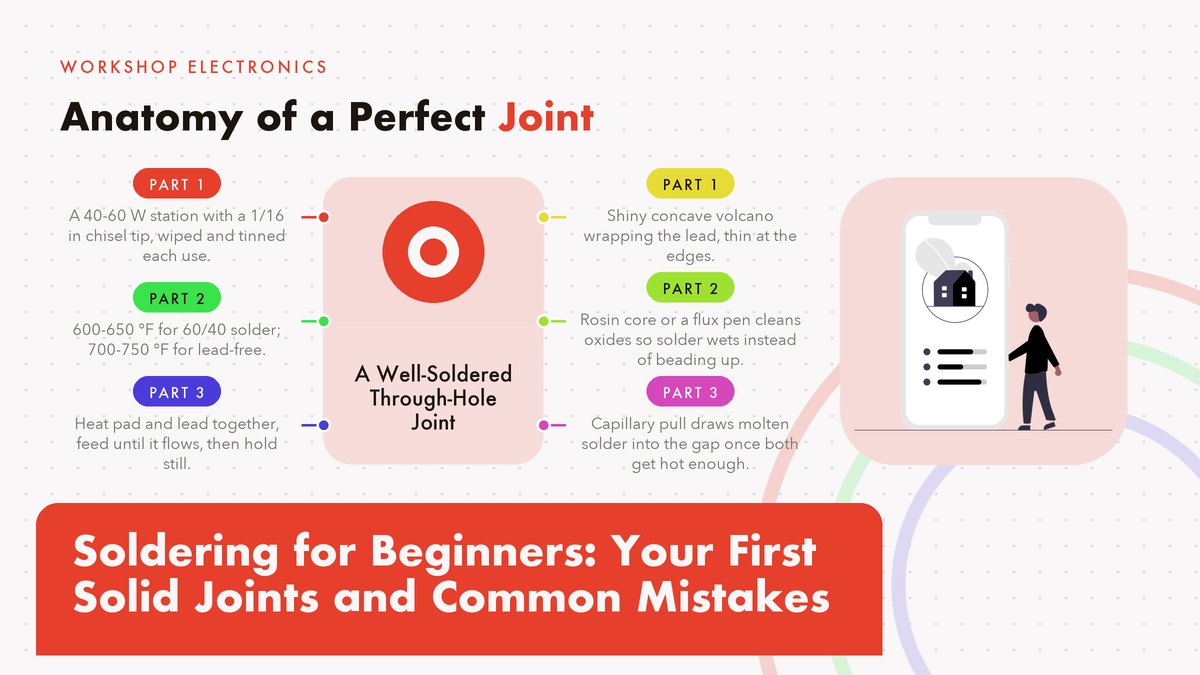
A soldering iron is a heated bit of copper alloy on a handle, and the single property that matters most is whether you can set its temperature and trust it. A proper temperature-controlled station in the 40-60 watt range, with a dial from roughly 200 °C up to 480 °C (about 400-900 °F), covers every beginner task and most advanced ones. For standard 60/40 solder you’ll live around 315-345 °C, which is 600-650 °F, and that band is printed or dial-marked on nearly every decent station sold today.
Skip the eight-dollar fixed-power irons that plug straight into the wall. All of them. They have no thermostat worth the name, so the tip temperature swings between too cold to melt solder properly and hot enough to scorch a board, often within the same joint, sometimes both one joint apart, and the overshoot is exactly what lifts pads and cooks components. I’ve watched beginners blame their technique for months when the tool was the problem the whole time. A basic station in the $40-60 range pays for itself the first time it saves a board, which in my experience happens within the first month.
Tip shape matters more than beginners expect, and the pretty tips are the trap. The skinny needle-point tips that look precise are poor heat conductors for general work because they touch so little metal. A chisel tip around 1/16 inch (1.5 mm wide) transfers heat into both the pad and the lead at once and will handle ninety percent of the through-hole joints you’ll ever make. Save the fine conical tips for surface-mount parts. You won’t touch those for a while.
Before you buy anything, it’s worth reading the manufacturer guidance on tip selection and temperature ranges. Weller’s official pages, for instance, cover tip geometry and heat settings in more depth than any forum post. It costs nothing to read. Good pre-buy reading, whatever brand of station ends up on your bench.
Pick Your Solder: 60/40 or Lead-Free
For learning, buy rosin-core 60/40 tin-lead solder, 0.031 inch (0.8 mm) diameter, on a small spool. The rosin core means a mild flux runs through the middle of the wire, cleaning the metal as you work, which is one less thing to think about while you’re learning hand position. One spool lasts for years. Sixty-forty melts around 361 °F (183 °C), flows smoothly at station temperatures, and solidifies with a bright shiny finish that makes it easy to judge your work at a glance.
Lead-free solder, usually a tin-silver-copper alloy sold as SAC305, melts closer to 423 °F (217-220 °C) and behaves a little differently: it wets more slowly, prefers a hotter iron, and sets with a duller, satin finish that alarms beginners who expect mirror shine. It’s the right choice if your country restricts lead, or you’re soldering things a child might handle, but I’d still learn on 60/40 if you can, because its forgiving flow teaches you what good looks like. Start there. Kester, one of the oldest solder manufacturers, publishes alloy data and handling guidance on its site if you want the technical numbers behind either choice.
Yes, lead is a real toxin, and the risk is worth exactly one habit: wash your hands when you’re done, and keep food and drinks off the bench. The solder isn’t going to hurt you through your skin in an afternoon session, but it will ride on your fingertips straight to your sandwich if you let it. That’s the entire defense, honestly. Soldering also smells, mostly the rosin, and a small fan moving air across the bench toward an open window handles the fumes comfortably. Some people love the smell. I’m not one of them, to be fair.
Set Up a Bench You Can Trust
Four things live on a safe soldering bench, and none of them is fancy: an iron stand so the hot tool never rolls, a damp sponge or brass wool for cleaning the tip, safety glasses, and a surface that can’t burn. A silicone mat is ideal, but a piece of scrap plywood works fine and costs nothing from the offcuts bin of any lumberyard. Total cost is close to zero.
It’s also worth knowing what the professional end of this craft looks like, because it calibrates your sense of “careful.” NASA maintains public workmanship standards for exactly this kind of hand work, and the NASA-STD-8739.3 page describes the hand-soldering standard technicians are trained and inspected against for flight hardware. Eye-opening reading, some of it. You don’t need to meet aerospace criteria to fix a guitar pedal. But the criteria in that world will sharpen your eye for what a properly wetted joint looks like.
One more rule that costs nothing. Never leave the iron on and unattended. Unplug it or switch it off the moment you step away, even for a minute, and give the tip a fresh coat of solder before it cools, which we’ll get to next.
Tin the Tip, Every Single Time
“Tinning” means coating the working end of the tip with a thin film of fresh solder, and it’s the habit that separates people whose irons behave from people who fight theirs. Copper oxidizes the moment it gets hot, and an oxidized tip is a brown, crusty insulator that solder refuses to wet, no matter how long you hold it to the joint. Oxidation never sleeps. The thin solder film protects the copper and, more usefully, gives the heat a liquid bridge into whatever you’re soldering.
The routine takes about three seconds. Wipe the tip across a damp sponge or poke it into brass wool a few times, then touch solder to it briefly so it coats with a bright silver film. Do this before you start, between joints when the tip looks dull, and always, always before you park the iron. A tip that gets put away clean and tinned will last years; a tip that gets put away black and dry will be corroding by morning.
The Three-Second Joint
Through-hole technique: pad, lead, solder, done
Everything above is preparation. This is the actual move, and it’s over faster than it takes to read about it. Say you’ve got a resistor with its legs through a circuit board, ready to be anchored:
- Touch the iron to the pad and the lead together. The solder comes later. Give it about a second so both reach soldering temperature.
- Feed solder into the joint from the opposite side of the lead from the tip, right where the pad meets the leg.
- Watch the flow. The moment the solder melts into a bright ring that wraps the lead and pools on the pad, stop feeding. Total contact time should land around 2-3 seconds.
- Pull the iron away and hold the part perfectly still for another second or so while the joint solidifies. Any movement in this window is how cold joints are born.
- Look at it. A good joint is shiny and slightly concave, like a tiny volcano slope between pad and lead. That’s your pass/fail check.
The physics is simple. Molten solder chases heat. When the pad and lead are both hot, capillary pull draws the solder into the gap between them and it wets the surfaces, which is the technical word for “spreads thin and sticks.” If you instead melt solder on the tip and drip it onto a cold joint, the solder balls up into a bead sitting on the surface like water on a waxed car, because nothing underneath was hot enough to pull it in. That bead might hold mechanically for a while and it conducts electricity about as well as it looks, which is to say barely.
If you want to watch this done properly before you try it, Adafruit’s Collin’s Lab soldering episode shows the whole sequence close up, in real time, with a calm voiceover that won’t make you feel rushed. It’s the video I’d put on a loop for a first session.
One caveat on timing, because I said two to three seconds and I stand by it for normal joints. Big ground-plane pads on a board act like heat sinks and can soak up the iron’s output, so a joint there might take five seconds or more. That’s fine. The rule isn’t the clock, it’s watching the solder flow. Feed until it flows, stop when it does, and if it never flows after a reasonable wait, the iron is too cold or the tip is dirty. Fix that instead of standing there cooking the board.
What a Good Joint Actually Looks Like
Learn the good shape once and every future joint carries its own inspection report. The ideal through-hole joint shows a fillet, which is the smooth concave slope of solder running from the lead down onto the pad, bright and mirror-like for leaded solder, satin for lead-free. The lead is fully wrapped, the pad is fully covered, and the solder is thin at the edges. It should look like the metal settled there, because more or less it did.
The failure shapes are just as distinctive. A ball or bulb perched on top means too much solder and not enough heat underneath. A dull, grainy, frosted lump means the joint moved while cooling, or the surfaces were dirty, or the iron never got them hot. A joint with the solder beading off to one side, leaving part of the pad bare, means poor wetting, and the fix is flux plus heat rather than more solder. If you want the theory behind wetting and why solder sticks to copper at all, electronics-tutorials.ws covers the fundamentals clearly and without assuming you have an engineering degree.
Wires Are a Related but Different Animal
Joining two wires together is the same physics wearing different clothes, and it’s worth practicing because connectors and splices come up constantly in hobby projects. Practice this one early. Strip about a quarter inch (6-7 mm) of insulation, twist the strands of each wire clockwise so they don’t fray, then tin each end briefly: touch the iron to the wire, feed in just enough solder to coat the strands, and pull away within a couple of seconds. Tinned wire ends look dipped in silver and hold their twist.
Join them by laying the tinned ends together along their length, heating the overlap until the existing solder merges, and then, if the merged joint is exposed, sliding heat-shrink tubing over it before any of that, because you can’t add the tube after you’ve soldered. Ask me how I know. Which is a mistake everyone makes exactly once. Slide the tubing on the wire before you make the joint, push it well away from the heat, then shrink it over the finished splice with the side of the iron or a hair dryer.
Two failure modes to know. First, solder wicking up under the insulation makes the wire stiff and brittle right where it flexes most, so keep the iron time short and stop feeding the moment the strands are coated. Second, twisting wires into a rat’s nest before soldering doesn’t add strength the way people assume, the soldered lap joint does the work, so tidy twists, short heat, done.
The Mistakes That Get Everyone
Almost every bad solder joint a beginner makes is one of six or seven shapes, and each has a signature and a cure. This table is the whole troubleshooting manual. Screenshot it:
| Mistake | What it looks like | The cure |
|---|---|---|
| Cold joint | Dull, grainy, gray, frosted surface instead of shiny; often a blob perched on the lead | Reflow it: add a touch of flux, reheat until the solder flows, hold perfectly still while it cools |
| Pad lift | The copper pad has torn off the board, leaving a bare fiberglass crater and sometimes a loose pad stuck to the lead | Prevention: never lever or tug a joint while it’s hot. Repair: solder a short jumper wire from the lead to the trace the pad came from |
| Solder bridge | A shiny blob spanning two adjacent pads or pins, shorting them together | Clean the tip, touch the bridge so it pulls up onto the tip, or wick the excess away with desoldering braid, then check the gap again |
| Too much solder | A ball sitting on the joint instead of a fillet, maybe hiding the lead completely | Reflow and let surface tension pull the excess off, or wick away the surplus, then redo with less solder. Less is more |
| Overheated joint | Scorched brown residue, a matte crusty finish, lifted or wrinkled pad edges | Work faster at the right temperature with a clean, tinned tip. Prevention beats repair here |
| Poor wetting | Solder beads up like mercury, rolling off the pad and refusing to spread | Dirty or oxidized surfaces, an old tip, or not enough heat; clean everything, add flux, and give the joint the full 2-3 seconds |
| Cooked component | Melted plastic, a smell you notice, a part that tests dead afterward | Clip a small alligator clip between the joint and the component body as a heat sink, and keep each touch to a few seconds |
The cold joint deserves extra attention because it’s the one that passes visual inspection from across the room and then fails weeks later, often intermittently, which makes it a joy to debug. Dull means redo. SparkFun’s through-hole soldering tutorial has excellent photos of cold joints next to good ones, and seeing the pair side by side trains your eye faster than any description. If a joint is dull, reflow it without mercy, even if it seems to work. Especially if it seems to work.
And a word on the intermittent-failure type specifically, because it teaches something useful: a cracked cold joint often conducts until the board flexes or warms up, which is why a project can work on the bench and die inside an enclosure. When a circuit fails only sometimes, reflow every joint in the suspect area before you replace a single component. I think this one tip has saved me more money and confusion than everything else in this article combined, and it’s free.
Fixing a Bad Joint Without Making It Worse
Desoldering is soldering with the direction reversed. Two tools cover almost everything, and both are worth owning early. Desoldering braid (also called solder wick) is braided copper that you press onto a joint with the iron; capillary action pulls the molten solder up into the braid, and you lift both away together. A solder sucker is a spring-loaded plunger that vacuums the molten solder off the joint in one motion when you trigger it. Between the two, braid handles most through-hole work and the sucker shines on larger pads.
The protocol for redoing a joint is shorter than you’d expect. Add a little flux to the old joint first, because flux is the thing that got consumed the first time around. Flux first, always. Reheat until the solder liquefies again. Sometimes that alone fixes a cold joint, because the flux cleans the surfaces and the solder re-flows into a proper fillet on the second pass. If the joint is overloaded with solder, wick some off first, then reflow. If the pad has lifted, don’t panic and don’t scrape at the board; solder a short bit of insulated wire from the component lead directly to the copper trace that used to connect the pad. The circuit will never know.
Lead-Free: The Same Dance at a Hotter Setting
If you’ve gone lead-free, nearly everything in this guide holds, with the temperature raised. Set the station around 370-400 °C, which is 700-750 °F, use a slightly bigger tip than you think you need to push heat in faster, and keep the tip well tinned at all times, because lead-free alloys corrode tips noticeably faster than 60/40. Same habits, more heat. Expect the joints to set with a satin rather than mirror finish and stop chasing shine that the alloy simply doesn’t produce.
The one genuine behavioral difference is wetting speed. Lead-free solder takes a beat longer to flow and likes a touch more flux, so give each joint an extra second of contact and don’t interpret the slower flow as a cold iron. It probably isn’t. Which brings the whole thing back to the one skill this entire guide is built on: watching the solder instead of the clock, and adjusting until it flows the way you now know it should.
A Weekend Practice Plan
You can read about soldering indefinitely, but the skill arrives through joints, plural, dozens of them. Ten dollars is all it takes. A “learn to solder” practice kit, usually a little board with a handful of resistors, LEDs, and a battery clip that becomes a siren or a blinker when you’re done, and that finished object matters more than it seems, because a project with a payoff keeps you at the bench. Follow it with a cheap perfboard and a bag of headers. Then solder yourself a simple power distribution board you’ll actually use.
Then go scavenging. Any dead electronics from the junk drawer, an old radio, a broken charger, holds dozens of components you can practice desoldering and resoldering, and it costs nothing when you lift a pad. Judge your progress by the simple test: make twenty joints, then check them with a magnifier or your phone’s camera. When nineteen out of twenty show a bright, smooth fillet, you’re done practicing, whether that’s Saturday evening or three weekends from now. Pick a real project, a kit, a repair, something with a motor or lights in it, and let it be slightly too hard. It will go wrong in at least one interesting place, and fixing it is where soldering stops being a drill and starts being a craft you own.
Sources & references: Weller tip-selection guidance, Kester alloy data, NASA-STD-8739.3 workmanship standard, Adafruit Collin’s Lab, SparkFun’s through-hole tutorial, and electronics-tutorials.ws, all linked above. Temperatures are starting points for a typical station; adjust to your iron, your solder, and what you see the joint doing. Updated October 2026.
Leave a Reply